 Download
Camera app for direct-to-cloud upload
OneLens is a camera app that sends photos and videos directly to OneDrive, Google Drive, Google Photos, or Dropbox. Keep work and personal photos separate - OneLens photos never appear in your personal camera roll.
- Direct-to-cloud
- Work stays separate
- No servers, no tracking
Open, capture, and share - in seconds
From lock screen to safely stored in the cloud, capturing photos is just as fast as the normal iPhone camera - but separation is faster
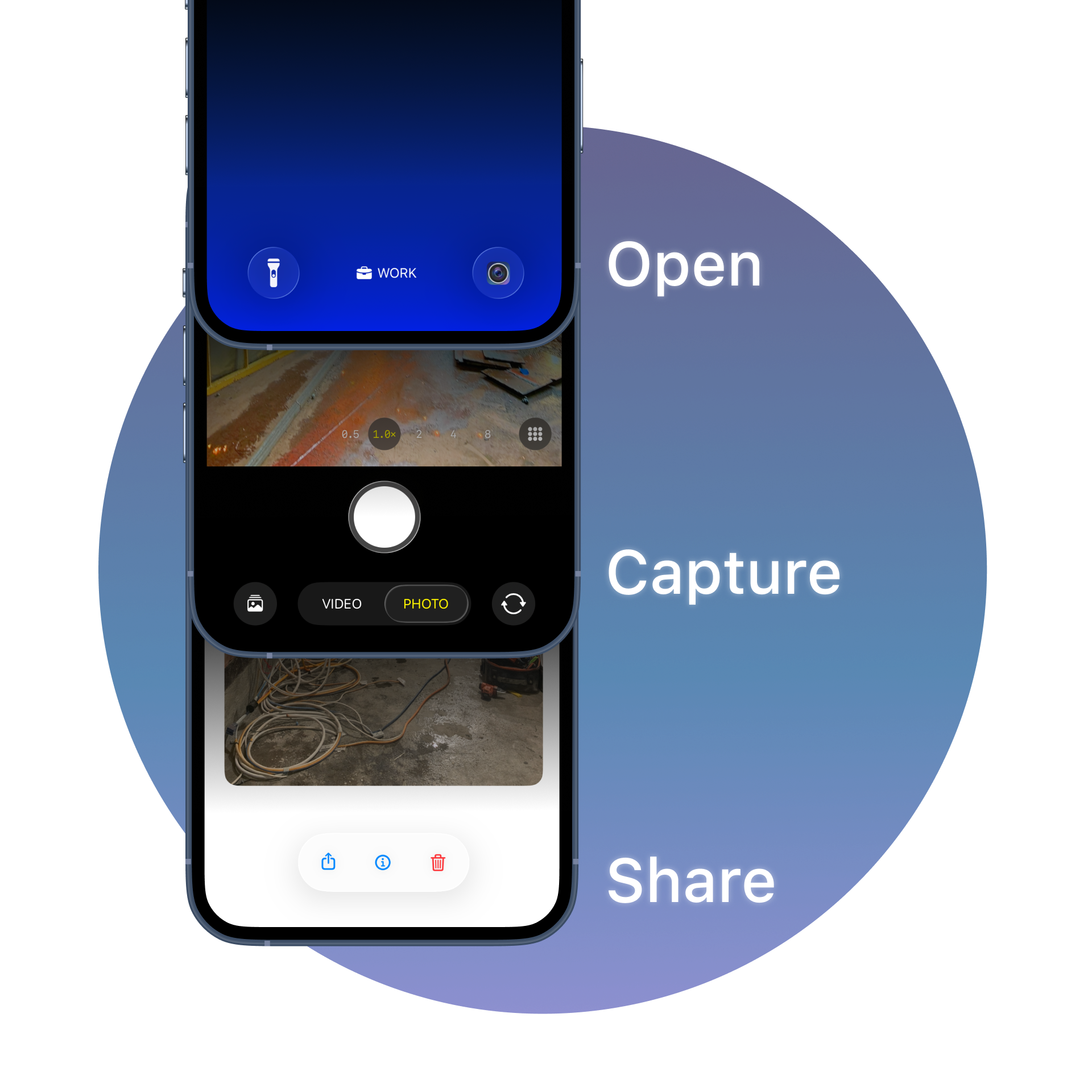
- 01
Open
Launch OneLens straight from the Lock Screen camera button or the Action Button — no unlocking, no hunting for the app.
- 02
Capture
Shoot photos or video with full access to every lens, zoom, manual exposure and flash controls.
- 03
Share
It uploads automatically. Share via Mail, Messages or AirDrop, check photo details, or delete from the cloud.
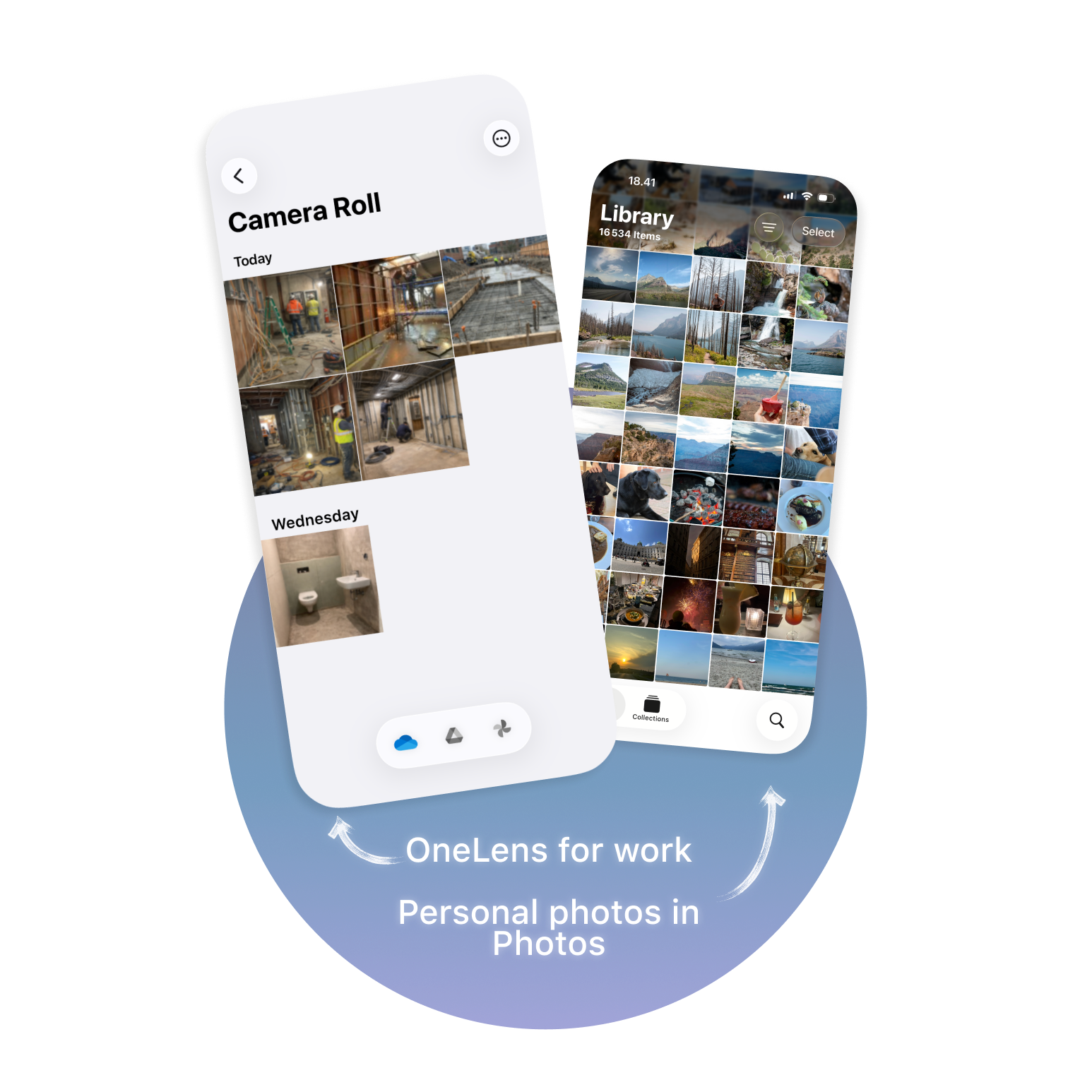
Keep work off your personal camera roll
Photos taken with OneLens never appear in your iPhone's Photos library. Work and school documentation goes straight to the cloud — perfect when one phone does double duty.
- Use the iPhone Camera for personal memories
- Use OneLens for work, school & project documentation
- No more scrolling past job-site photos to find your holiday snaps
Your photos are yours. Full stop.
OneLens is designed so that we never see your content. Everything is processed on your device and sent directly to the cloud provider you choose.
No servers of our own
Your media goes only to the provider you authorize — never through Brunch Development.
Secure OAuth sign-in
Access tokens are stored in the iOS Keychain and never transmitted to us.
Minimal scope
OneLens can only see its own folder or album — nothing else in your cloud storage.
Encrypted in transit
All transfers use HTTPS with TLS, protected by standard iOS device encryption.
Read the full Privacy Policy and Terms of Service. Compliant with EU GDPR.
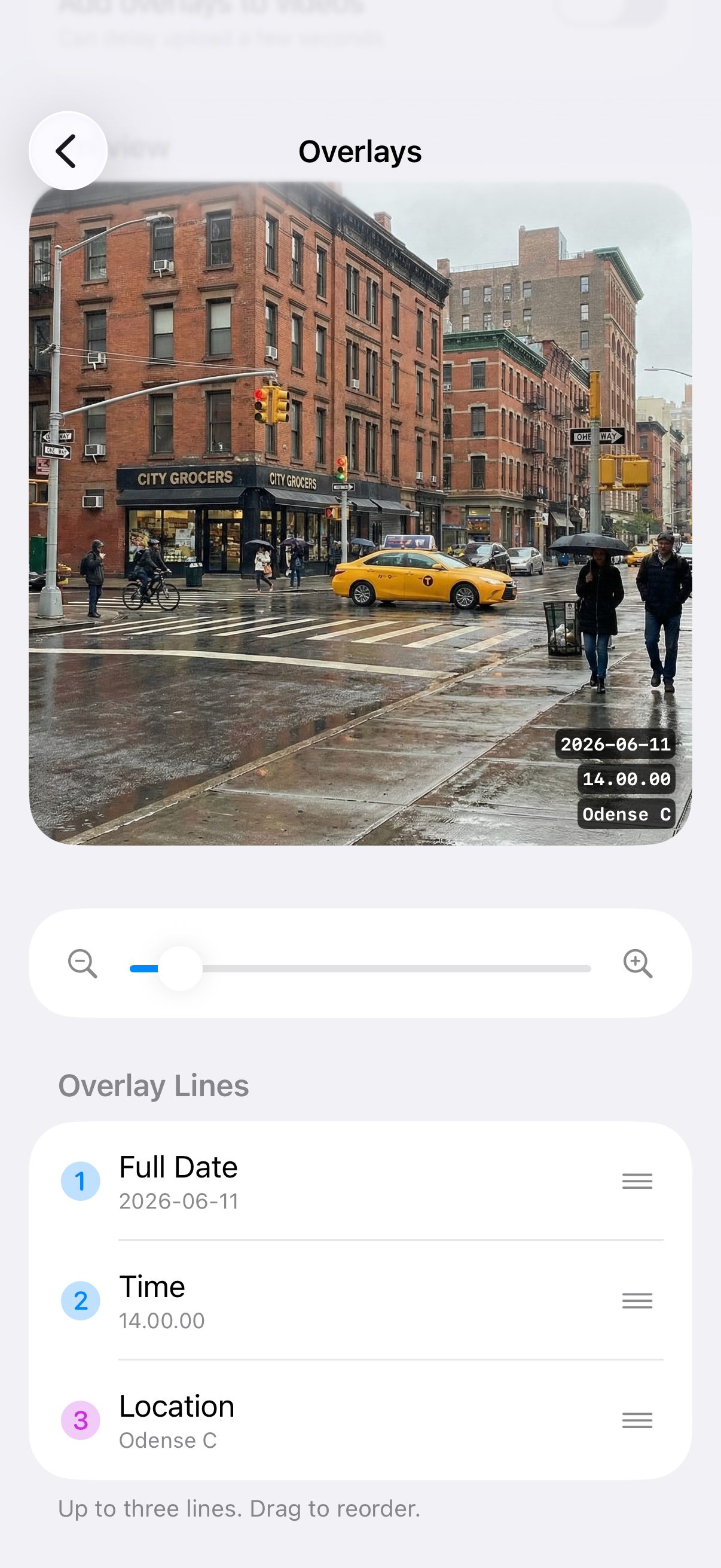
Stamp date, time & location onto every shot
Add up to three overlay lines - full date, time, and location - burned directly into your photos and videos. Drag to reorder and size them exactly how you need for documentation.
- Full date, time and location overlays
- Reorder lines and adjust size with a live preview
- Ideal for inspections, progress reports and audit trails
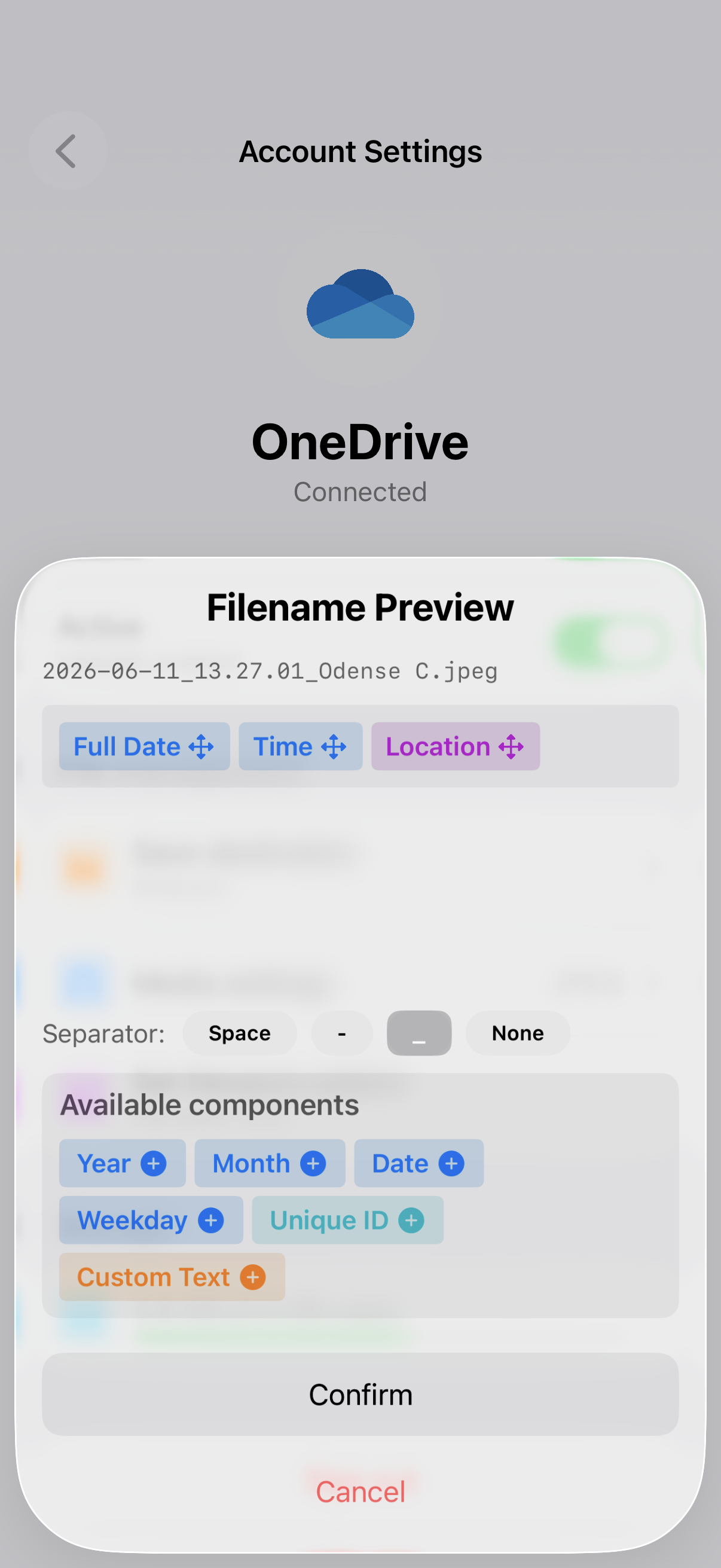
Filenames that make sense to your workflow
Build a naming pattern once from date, time, location, weekday, a unique ID or custom text — then every upload follows it automatically. Choose your separator and preview the result live.
- Drag-and-drop components to compose the perfect name
- Space, dash, underscore or no separator
- Consistent, searchable files across your whole team
A full-featured camera, built for the field
OneLens keeps the pro camera controls you expect — and adds the cloud workflow you need.
Photo & video
Capture both photos and videos with OneLens.
Direct cloud upload
Straight to OneDrive, Google Drive, Google Photos or Dropbox.
All lenses
Access every camera lens, including the fusion camera lens.
Macro lens
Capture stunning close-up detail with the macro lens.
Up to 50× zoom
Powerful zoom for detailed, faraway shots.
Manual exposure
Full manual control over exposure settings.
Flash on / off / auto
Switch flash modes instantly while shooting.
Composition grid
Enable a grid overlay to line up shots precisely.
Lock Screen launch
Open OneLens from the Lock Screen camera button.
In-app cloud gallery
View and manage uploaded photos inside OneLens.
Share & manage
Share via Mail, Messages, AirDrop and more.
Overlays
Burn date, time and location onto photos and video.
Full-quality formats
JPEG, PNG and HEIC uploads in full quality.
Your media stays yours
We never receive your photo or video data.
Optional GPS tagging
Add location metadata only when you enable it.